Getting started with LocalDeck
From extracting the folder to your first secure local website.
1. Start LocalDeck
Open the LocalDeck-Startklaar folder and run LocalDeck.exe. On first launch, choose whether services run only with the app or remain active as Windows services.
Application mode is the safest default for normal local work: closing LocalDeck also stops the development services.
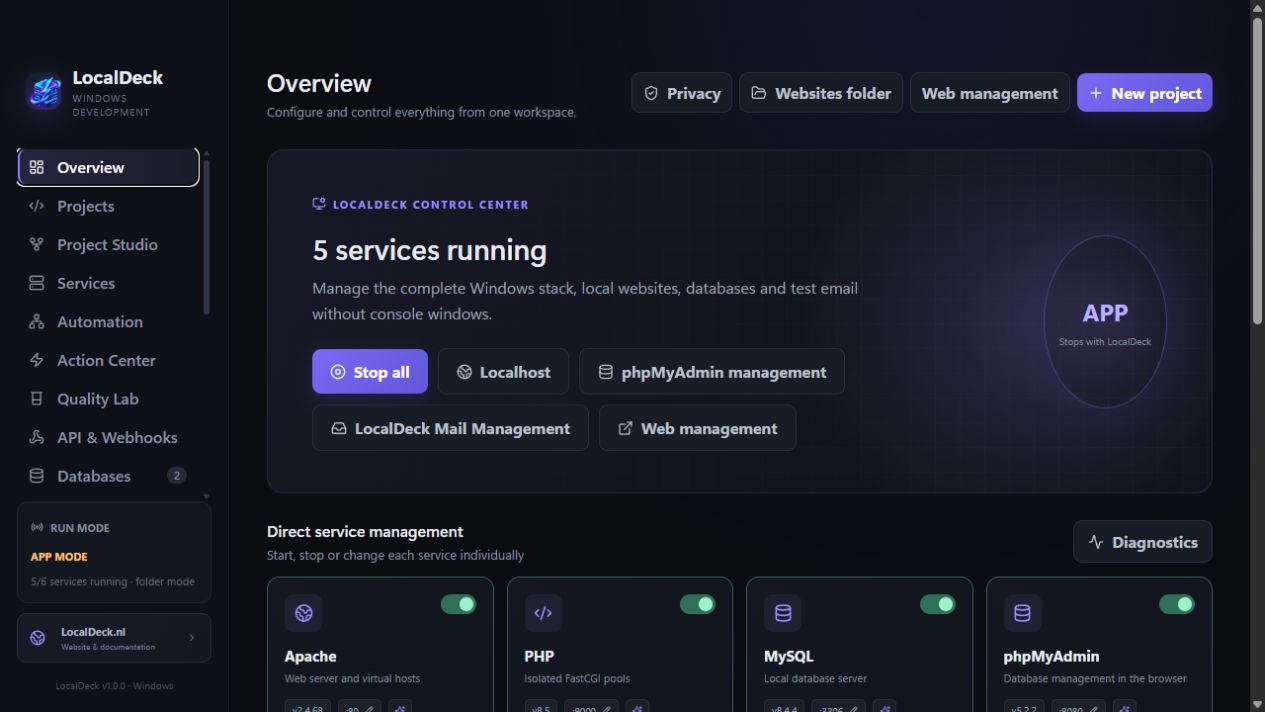
- Click Start all.
- Check that Apache, PHP, MySQL, phpMyAdmin, Mailpit, and Redis are green.
- Open Web Management or visit https://localhost.
2. Create a project
Create a folder under websites or use New project in the dashboard. LocalDeck automatically discovers folders containing index.php, index.html, composer.json, or public/index.php.
Each project receives its own .localhost domain, port pair, PHP profile, and—once HTTPS is enabled—its own local certificate.
Found an error or missing step? Report it through Support → Wiki or documentation.
Your choice is not tracked or stored.