⌁
Services under control
Start Apache, PHP, MySQL, phpMyAdmin, Mailpit, and Redis together or individually. Port checks and repair are built in.
ApachePHP 8.5MySQL 8.4Redis
Apache, PHP 8.2–8.5, MySQL, phpMyAdmin, Mailpit, and Redis—bundled offline and managed from one clear Windows dashboard.
Read the installation guide first →
PRIMARY PLATFORMWindows 11 x64
DEFAULT RUNTIMEPHP 8.5
PER PROJECTAutomatic HTTPS
UPDATE CHANNELAutomatic & verifiable
These images come directly from the LocalDeck 1.0.0 app. Switch between the control center and project management.
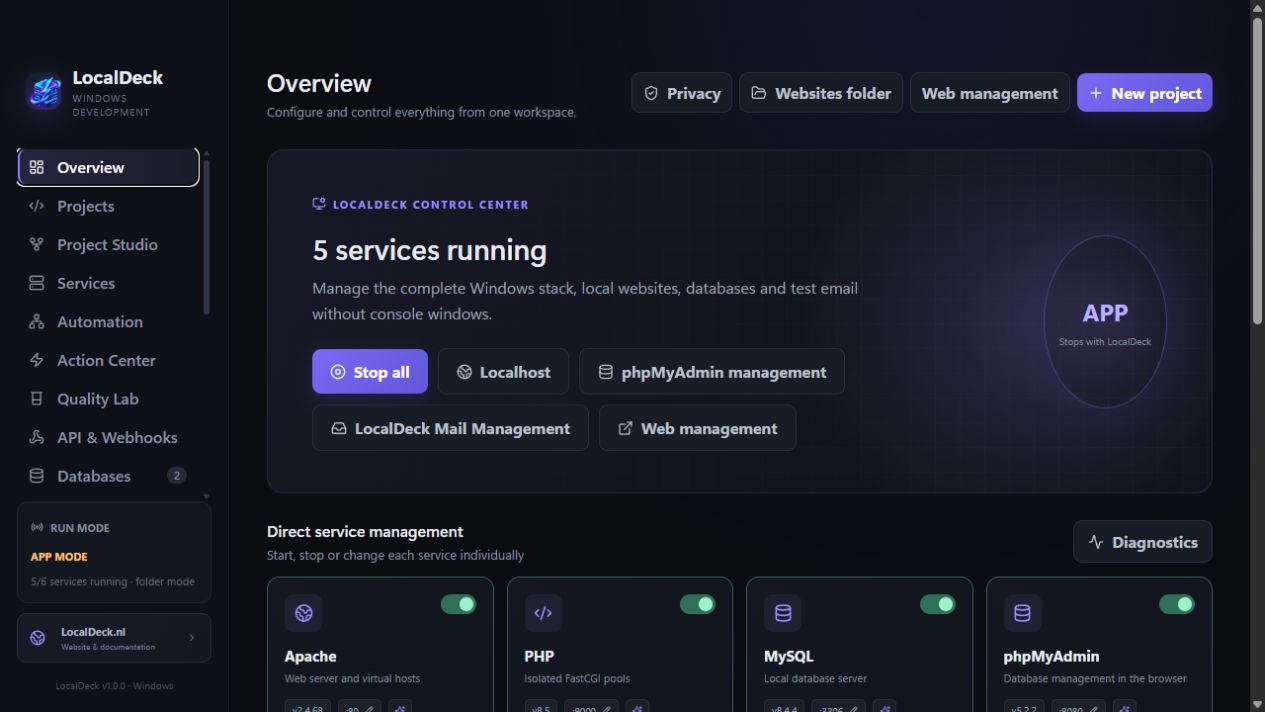
Start services and open localhost, phpMyAdmin, Mail Management, and diagnostics without command windows.
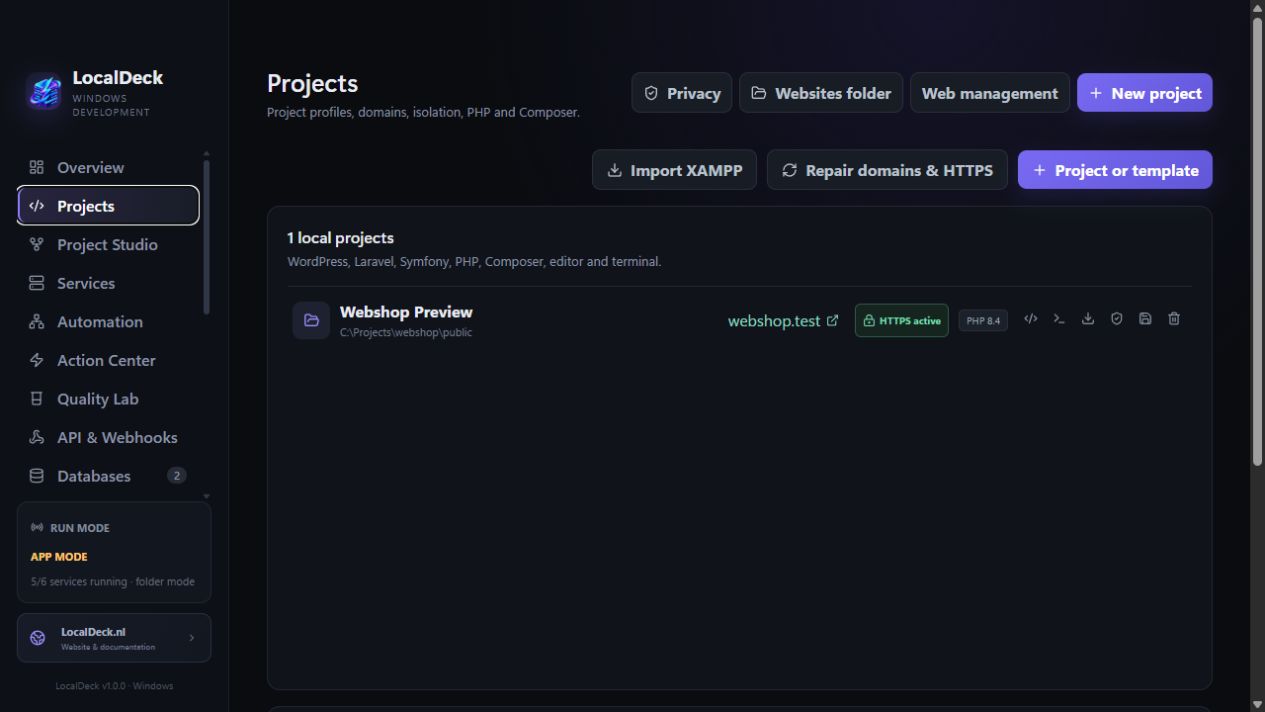
Link a PHP version, domain, document root, database, and local certificate to one project.
LocalDeck brings the complete local stack together without requiring accounts, licenses, or cloud connections first.
Start Apache, PHP, MySQL, phpMyAdmin, Mailpit, and Redis together or individually. Port checks and repair are built in.
Every project automatically receives its own local certificate and recognizable .localhost domain.
Create databases and users, run safe SQL, and open phpMyAdmin directly from the dashboard.
Capture test email locally and manage addresses, retention, and routes from Mail Management.
Run everything only with LocalDeck, or choose real Windows services that remain active independently.
Install through the Windows wizard or extract the ZIP into your own folder.
Choose app mode or Windows services and start all components with one button.
Use a PHP, WordPress, Laravel, Symfony, or Drupal profile with automatic HTTPS.
The source code, changelog, and issue tracker are public on GitHub. Security reports can be submitted privately.
Projects live in the websites folder. Runtimes, certificates, backups, and settings remain organized inside LocalDeck, keeping your workspace understandable and easy to move.
Publieke Windows-testversie met een eenvoudige en geavanceerde interface, een schaalbare indeling, complete projectlevenscyclus, automatische HTTPS, betere poort- en herstelacties, extra ontwikkelgereedschap en een compactere volledig ingebouwde offline runtime.
The LocalDeck wiki explains installation, services, projects, databases, mail, updates, and repair step by step.